WizyEMM allows you to configure multiple Certificate Authorities, SCEP servers, and SCEP profiles. This flexibility enables different security configurations to be assigned to specific Wi-Fi profiles across your organization.
Configuration Steps:
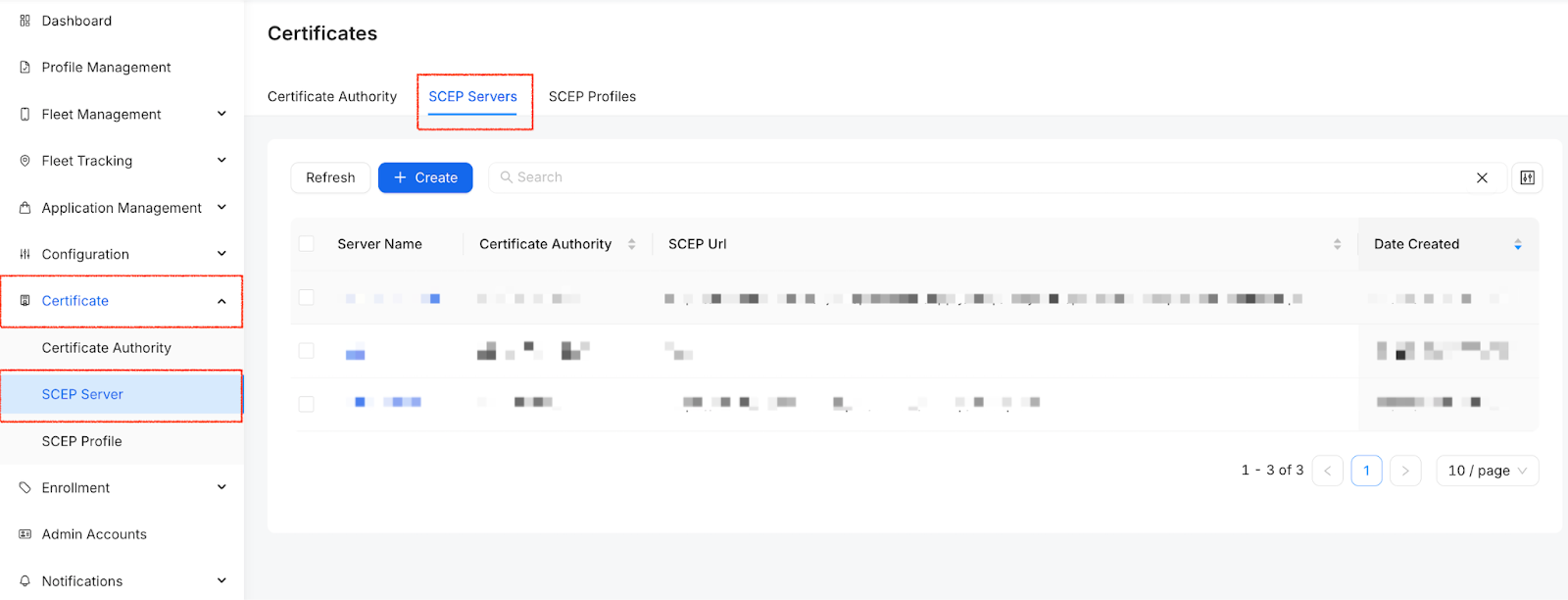
Go to the Certificate section in the WizyEMM console.
Select the SCEP Server tab.
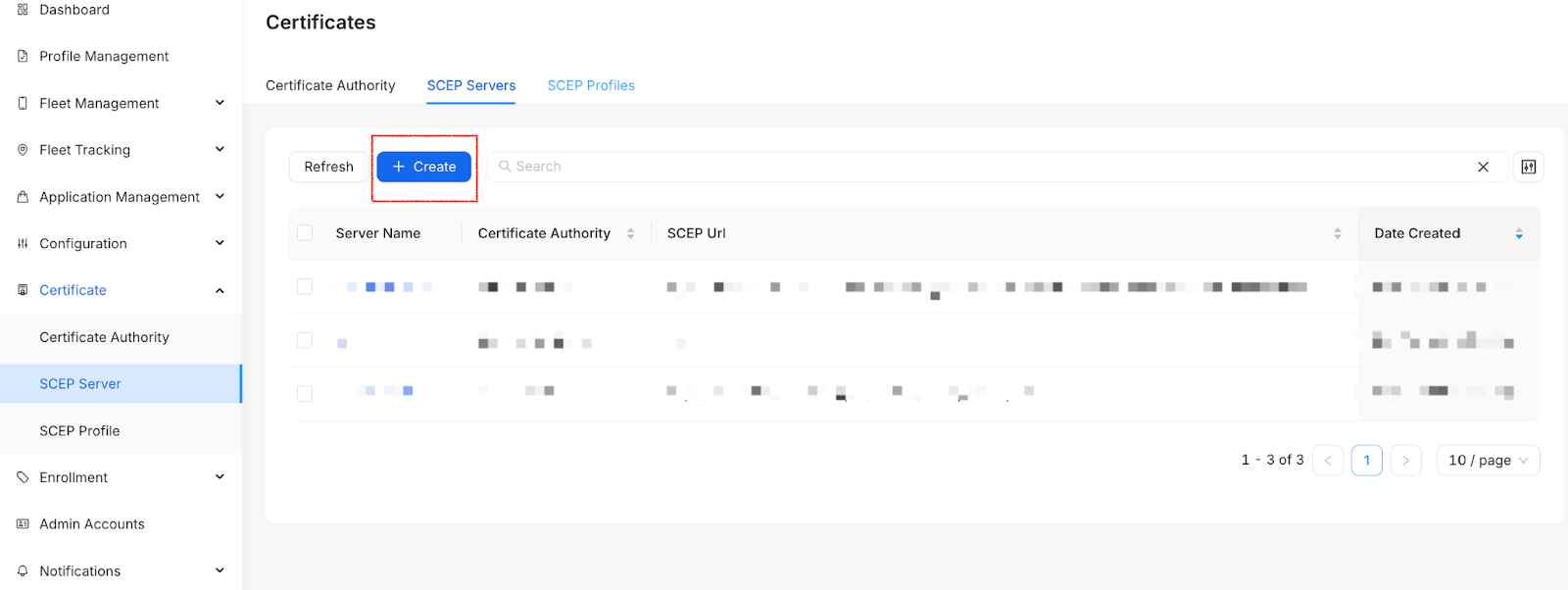
Click the + Create button.
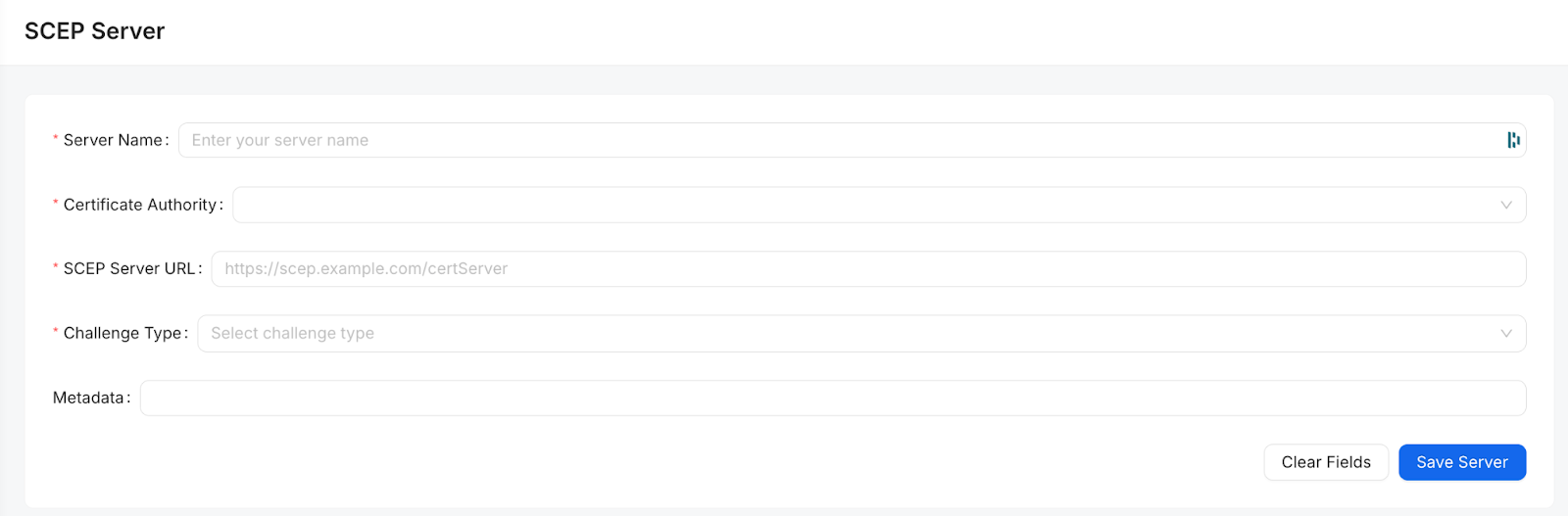
Fill in the SCEP Server details:
Server Name: Give the server a descriptive name.
Certificate Authority: Select the pre-configured CA from the dropdown list.
SCEP Server URL: Enter the URL endpoint for your SCEP server.
Challenge Type: Choose the type (e.g., Static or None).
Challenge Value: Enter the required password or secret.
Click Save Server.
Key Features:
Granular Control: Assign different SCEP configurations to specific Wi-Fi settings.
Multi-Server Support: Manage various SCEP servers within a single console to support complex infrastructure.
Was this article helpful?
That’s Great!
Thank you for your feedback
Sorry! We couldn't be helpful
Thank you for your feedback
Feedback sent
We appreciate your effort and will try to fix the article