WizyEMM has introduced more granular detail for specific device events. This update provides administrators with deeper visibility into event context, enabling faster and more informed troubleshooting and decision-making directly from the console.
Configuration Steps:
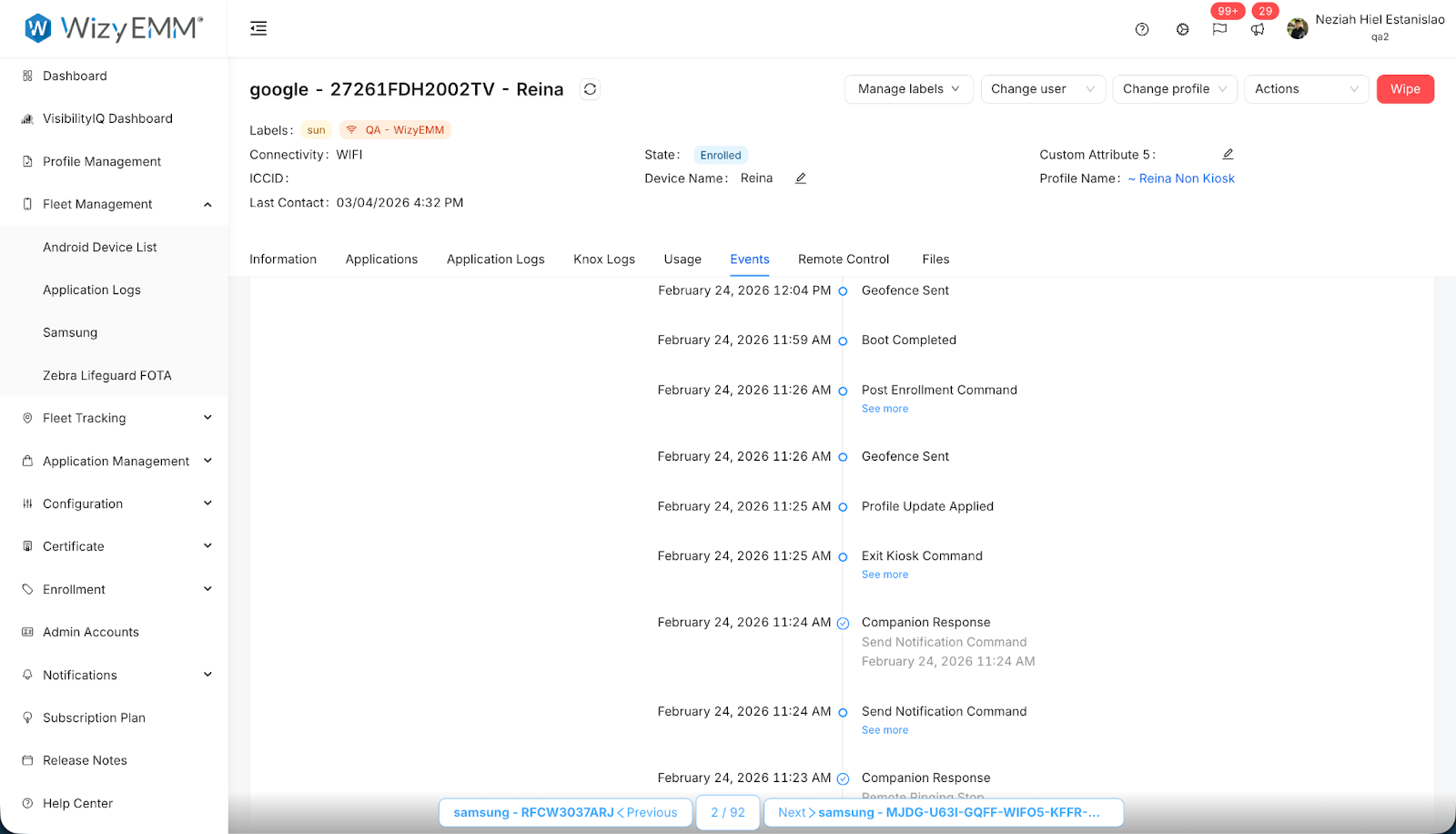
Navigate to Fleet Management > Android Device List in the WizyEMM console sidebar.
Select a specific device to open its management page.
Click on the Events tab to view the chronological log of device activities.
Locate an event that features a "See more" link (such as a Post Enrollment Command).
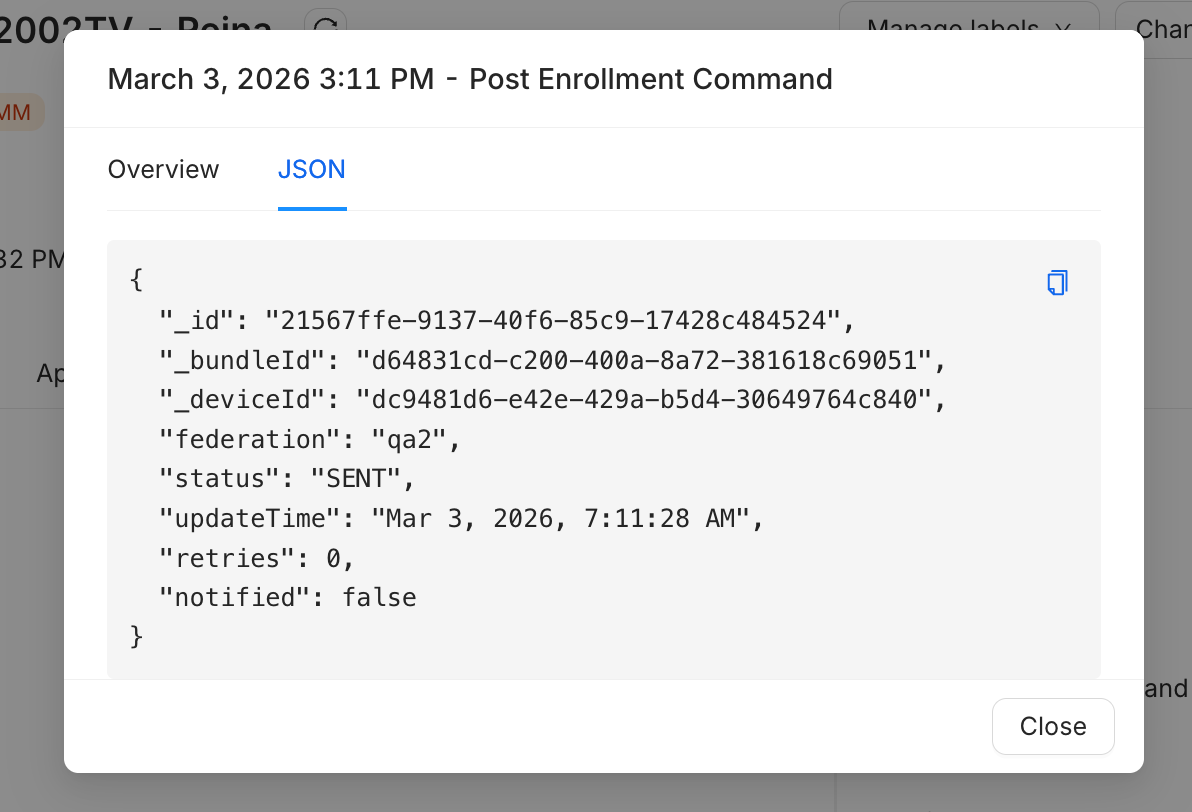
Click See more to open a detailed pop-up window.
Toggle between the Overview and JSON tabs to view the event data in your preferred format.
Key Benefits:
Greater Visibility: Access technical metadata that was previously hidden, giving you the full context of how a command or event was processed.
Faster Troubleshooting: Identify why specific commands might have failed or succeeded by reviewing the raw JSON output.
Informed Decisions: Provides the technical evidence needed for administrators to make rapid adjustments to device profiles or enrollment steps.
Was this article helpful?
That’s Great!
Thank you for your feedback
Sorry! We couldn't be helpful
Thank you for your feedback
Feedback sent
We appreciate your effort and will try to fix the article