EID (Embedded Identity Document) hardware identification is available for compatible Android devices. This feature provides administrators with instant access to eSIM details directly from the console, significantly simplifying fleet connectivity management.
Where to View EID Details
WizyEMM displays EID information in two primary areas within the console interface:
1. Fleet Management Device Table
In the Fleet Management > Android Device List view, a dedicated EID column can be added to the main table alongside traditional hardware identifiers like Serial Number, Device Name, and IMEI. This allows you to audit eSIM identifiers across multiple devices at a single glance.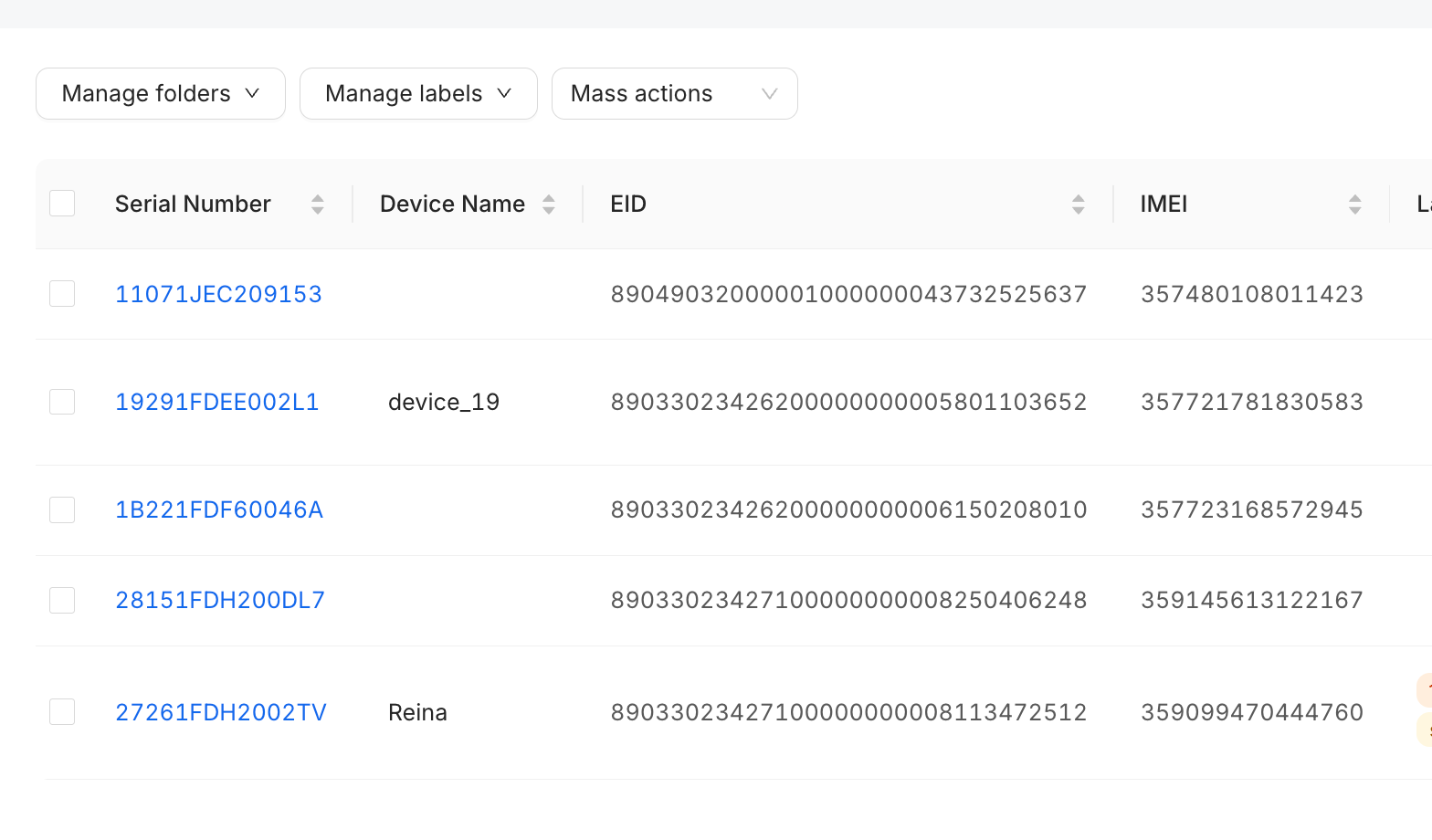
2. Individual Device Network Information
When inspecting the details of a specific device, the console provides a granular breakdown under the Network Information section.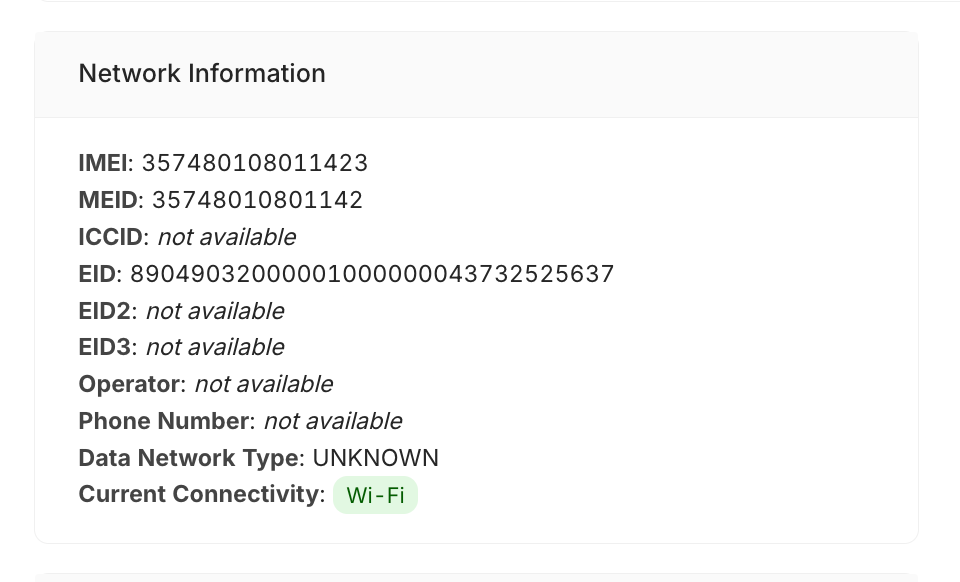
The following network and eSIM-related fields are visible within this panel:
IMEI: The primary international mobile equipment identity string.
MEID: The mobile equipment identifier.
ICCID: The cellular SIM card serial number identifier (if available).
EID / EID2 / EID3: The unique Embedded Identity Document numbers linked to the device's eSIM chips.
Operator: The current network carrier profile (if available).
Phone Number: The MSISDN associated with the active SIM slot (if available).
Data Network Type: The cellular network standard currently in use (e.g., UNKNOWN or specific generation types).
Current Connectivity: Highlights active link states via colored status badges (e.g., a green status badge for Wi-Fi).
Key Benefits
Instant eSIM Visibility: Eliminates the need to look up physical devices or query manual menus to extract dual-SIM or eSIM registration data.
Simplified Connectivity Management: Streamlines carrier deployment workflows and remote provisioning strategies by putting necessary cellular IDs at your fingertips.
Was this article helpful?
That’s Great!
Thank you for your feedback
Sorry! We couldn't be helpful
Thank you for your feedback
Feedback sent
We appreciate your effort and will try to fix the article