WizyEMM now includes a powerful Send Intent command, allowing administrators to send specific Android Intents directly to managed devices. This is particularly useful for triggering specific app actions, opening URLs, or broadcasting messages to system components across your fleet.
Troubleshooting Steps:
Navigate to Fleet Management and select Android Device List.
Select the device(s) you wish to target.
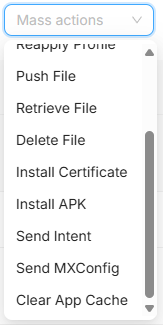
Click on the Actions button.
Select Send Intent from the list of available commands.
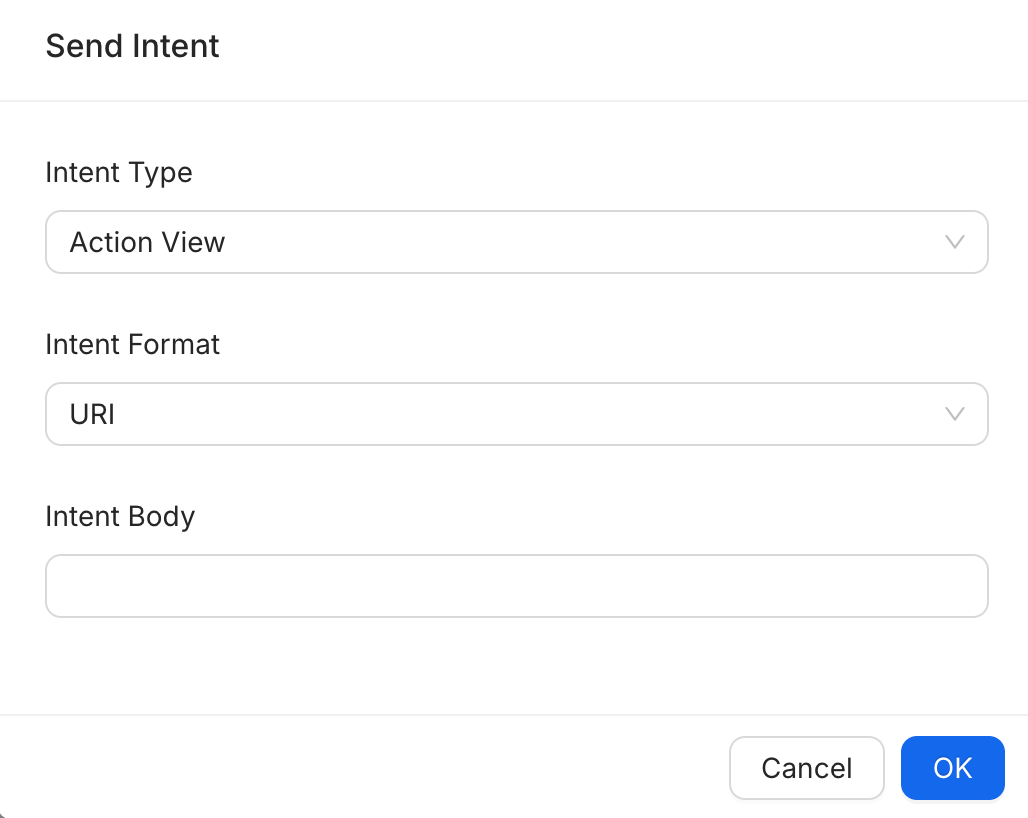
In the Send Intent pop-up window, configure the following:
Intent Type: Select the appropriate type (e.g., Action View).
Intent Format: Choose the format (e.g., Uri).
Intent Body: Enter the specific intent string or data.
Click OK to dispatch the command.
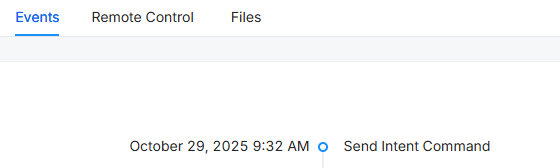
Verify the action by checking the Events tab on the device details page to see the "Send Intent Command" confirmation.
Key Benefits:
Remote Action Triggering: Remotely trigger app-specific functions without manual user intervention.
Operational Flexibility: Supports various intent types and formats to accommodate diverse technical requirements.
Real-time Tracking: Monitor the success of intent commands directly through the console's event logs.
Was this article helpful?
That’s Great!
Thank you for your feedback
Sorry! We couldn't be helpful
Thank you for your feedback
Feedback sent
We appreciate your effort and will try to fix the article