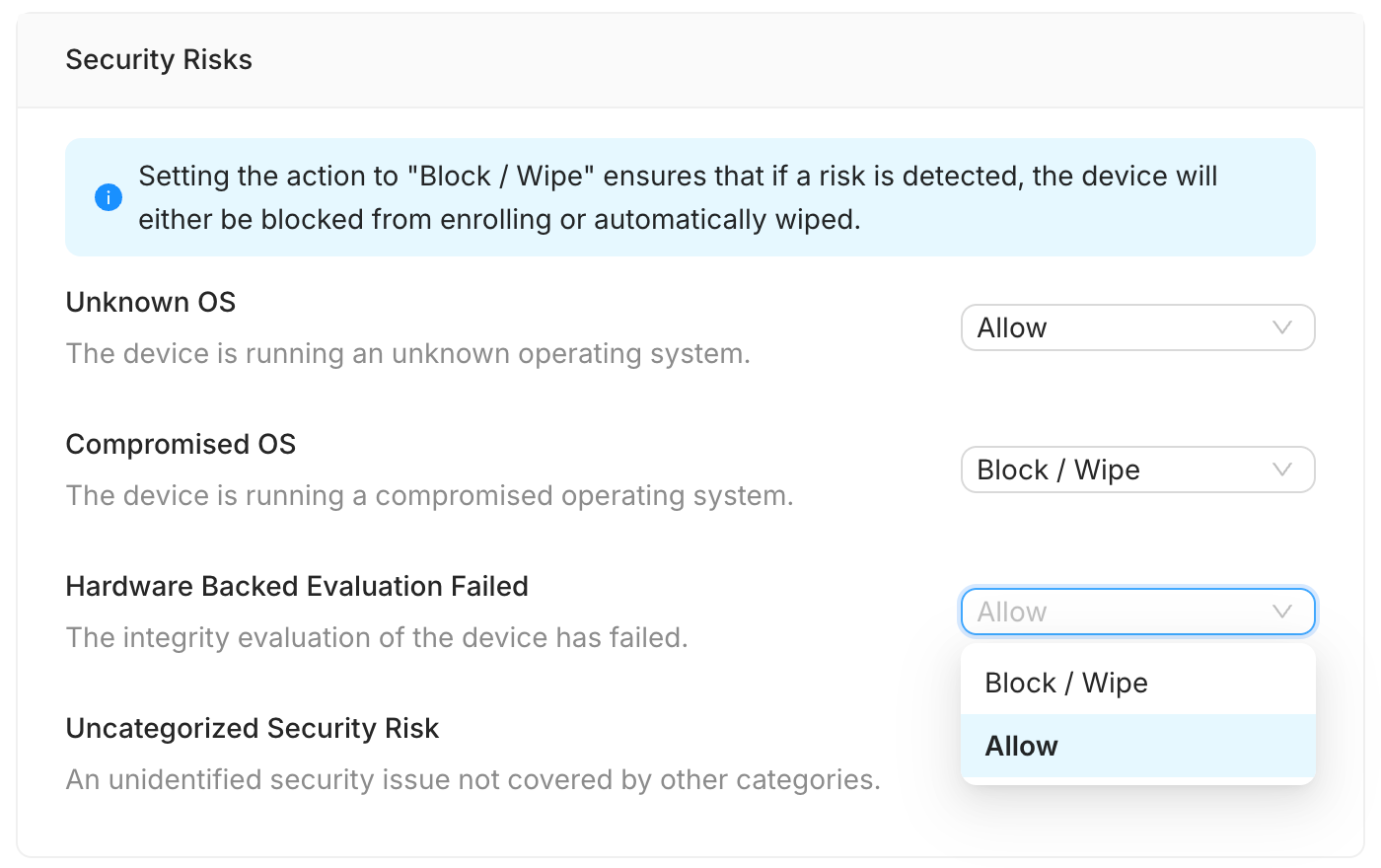
We have added Security Risk Actions into the Profile settings, allowing administrators to create granular security policies. You can now independently decide the automated response for specific security risks detected on a device.
Setting the action to "Block / Wipe" ensures that if a risk is detected, the device will either be blocked from enrolling or automatically wiped. The alternative action is "Allow".
Configurable Security Risks
You can set the action for the following specific risks:
Unknown OS: The device is running an unknown operating system.
Compromised OS: The device is running a compromised operating system.
Hardware Backed Evaluation Failed: The integrity evaluation of the device has failed.
Uncategorized Security Risk: An unidentified security issue not covered by other categories.
Troubleshooting Steps (Configuring Security Risk Actions)
To configure the automatic action for security risks:
Log in to the WizyEMM console.
Go to Profile Management.
Select the relevant profile you wish to configure.
Go to the Configuration section/tab on the profile.
Navigate to the Security Settings sub-tab.
Scroll to the Security Risks section.
For each risk category (e.g., Compromised OS), select the desired action from the dropdown menu: Allow or Block / Wipe.
Click Save on the upper right to apply the changes.
Was this article helpful?
That’s Great!
Thank you for your feedback
Sorry! We couldn't be helpful
Thank you for your feedback
Feedback sent
We appreciate your effort and will try to fix the article