We have added a new remote action called Device Ring Stop. This command allows administrators to immediately halt the ringing sound that was initiated by the Device Ring command on a managed device.
This feature provides administrators with complete control to quickly silence an actively ringing device, improving management efficiency.
Troubleshooting Steps (Using the New Command)
Follow these steps to stop a device from ringing:
Log in to the WizyEMM console.
Go to Fleet Management > Android Device List.
Select the device(s) that is currently ringing.
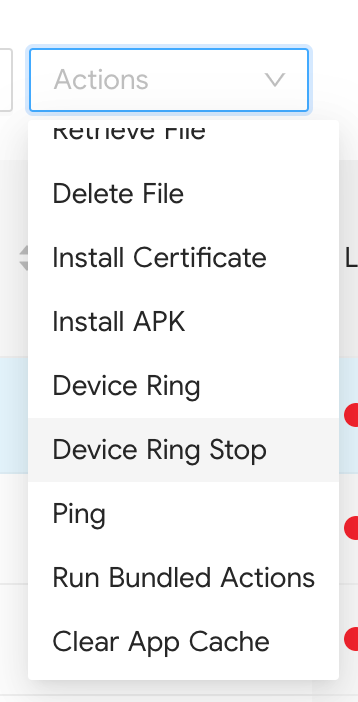
On the upper right, click Actions.
Choose Device Ring Stop from the list of available commands.
The device(s) will immediately cease ringing.
Was this article helpful?
That’s Great!
Thank you for your feedback
Sorry! We couldn't be helpful
Thank you for your feedback
Feedback sent
We appreciate your effort and will try to fix the article