This update enhances the visibility and reporting for applications on individual devices. You can now view a list of previously removed applications in the device's application table and filter this table by the app's current status (Installed or Removed).
This feature is useful for auditing and troubleshooting, allowing administrators to confirm which applications were installed and have since been removed from a specific device.
Troubleshooting Steps
Follow these steps to access the enhanced device application table and apply the new filter:
Log in to the WizyEMM console.
Navigate to Fleet Management.
Select Android Device List.
Select the device you wish to inspect by clicking on its entry in the list.
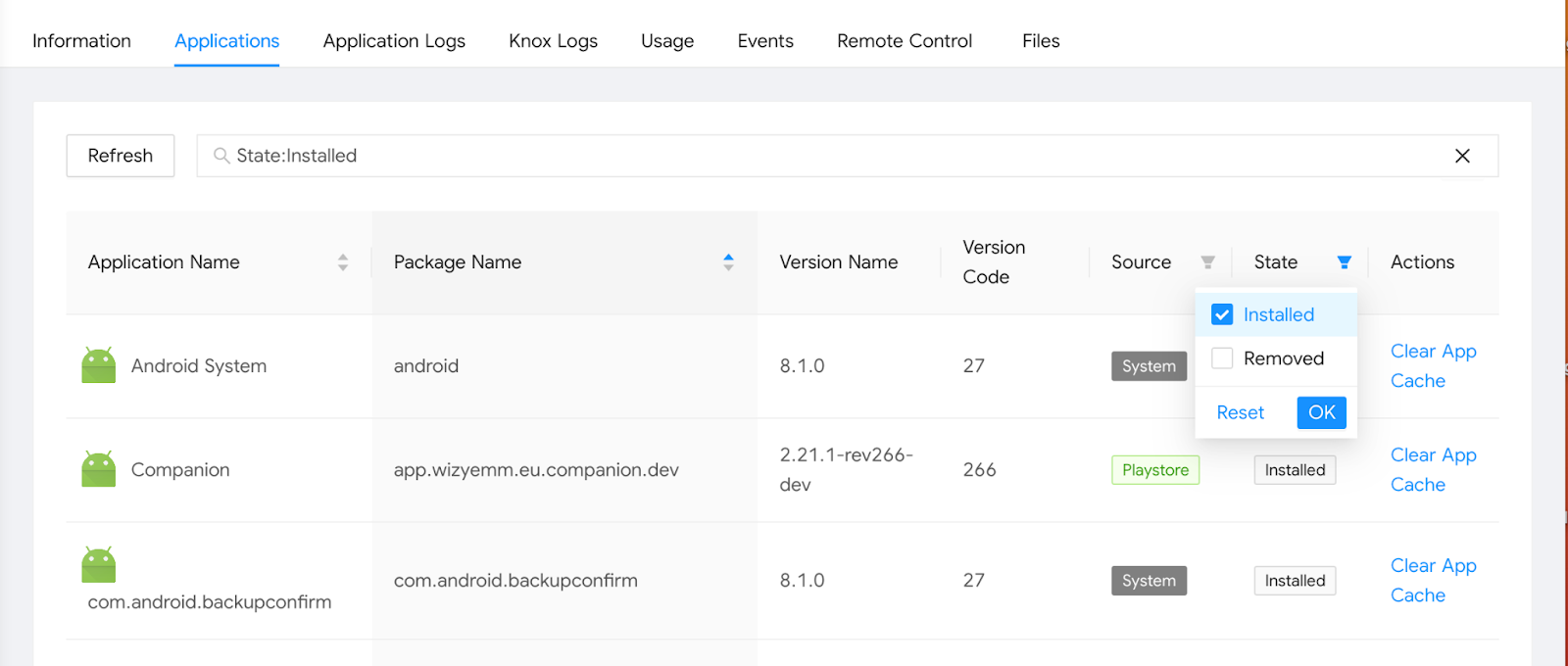
Go to the Applications tab on the device's details page.
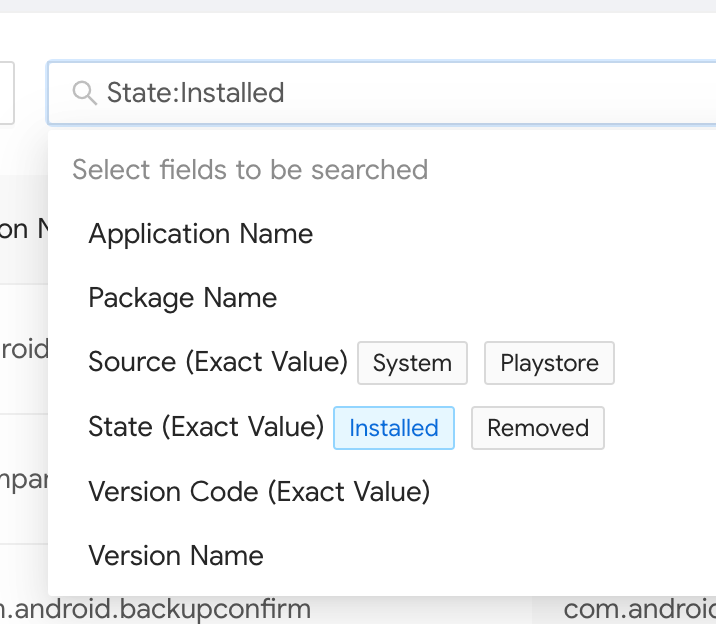
Click into the search bar within the applications table.
Select "Removed" from the filter options to display all applications that have been removed from the device.
Alternatively, you can select "Installed" to only view apps currently on the device.
The table will now display the list of removed applications along with their details.
Was this article helpful?
That’s Great!
Thank you for your feedback
Sorry! We couldn't be helpful
Thank you for your feedback
Feedback sent
We appreciate your effort and will try to fix the article