WizyEMM now supports the management of multiple versions for the same APK. This allows administrators to distribute specific app versions based on device configuration, hardware capabilities, or OS compatibility, ensuring better performance and reducing installation issues across a diverse fleet.
Troubleshooting Steps:
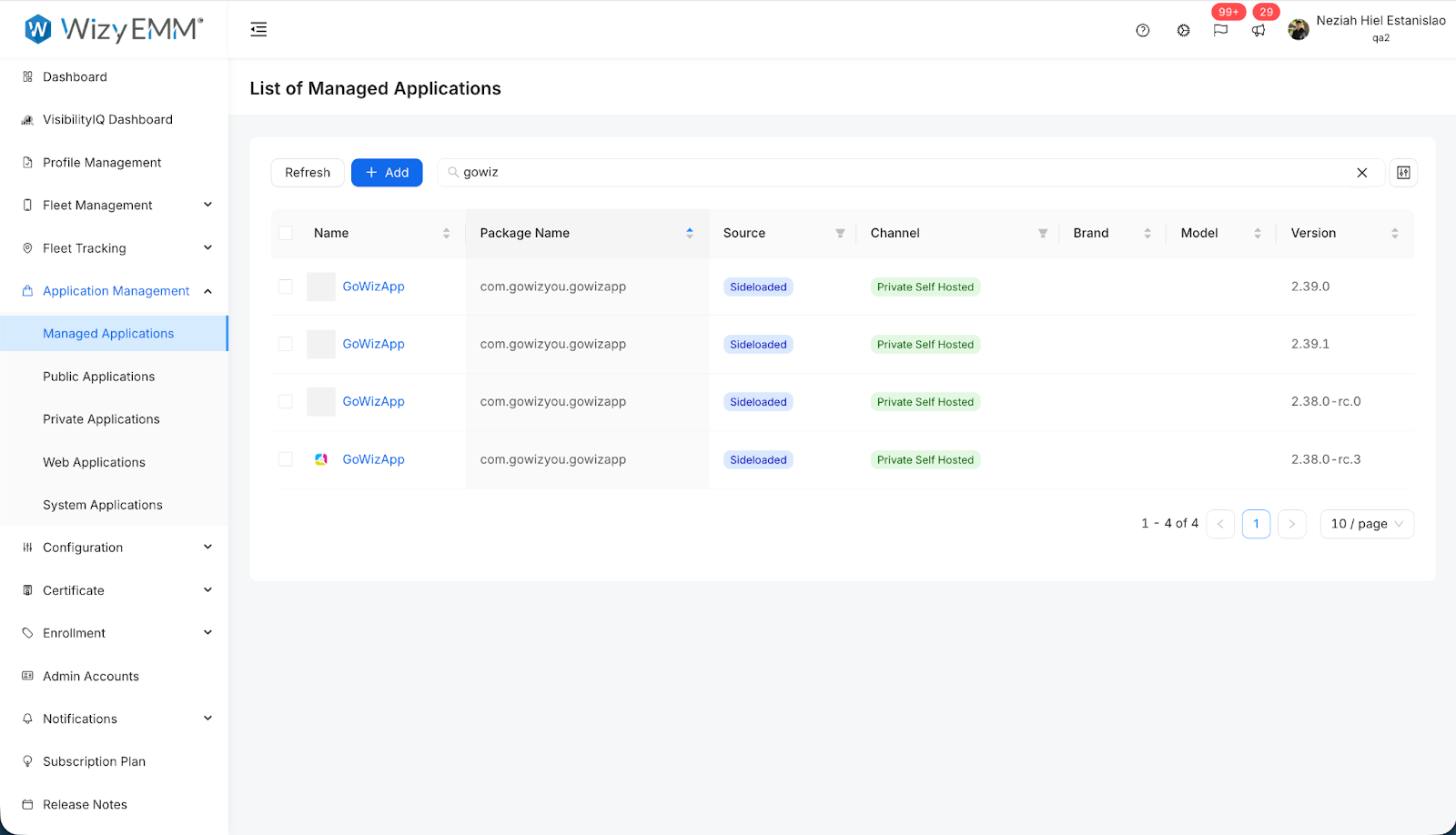
Navigate to Application Management in the WizyEMM console sidebar.
Click on Managed Applications to view your current app library.
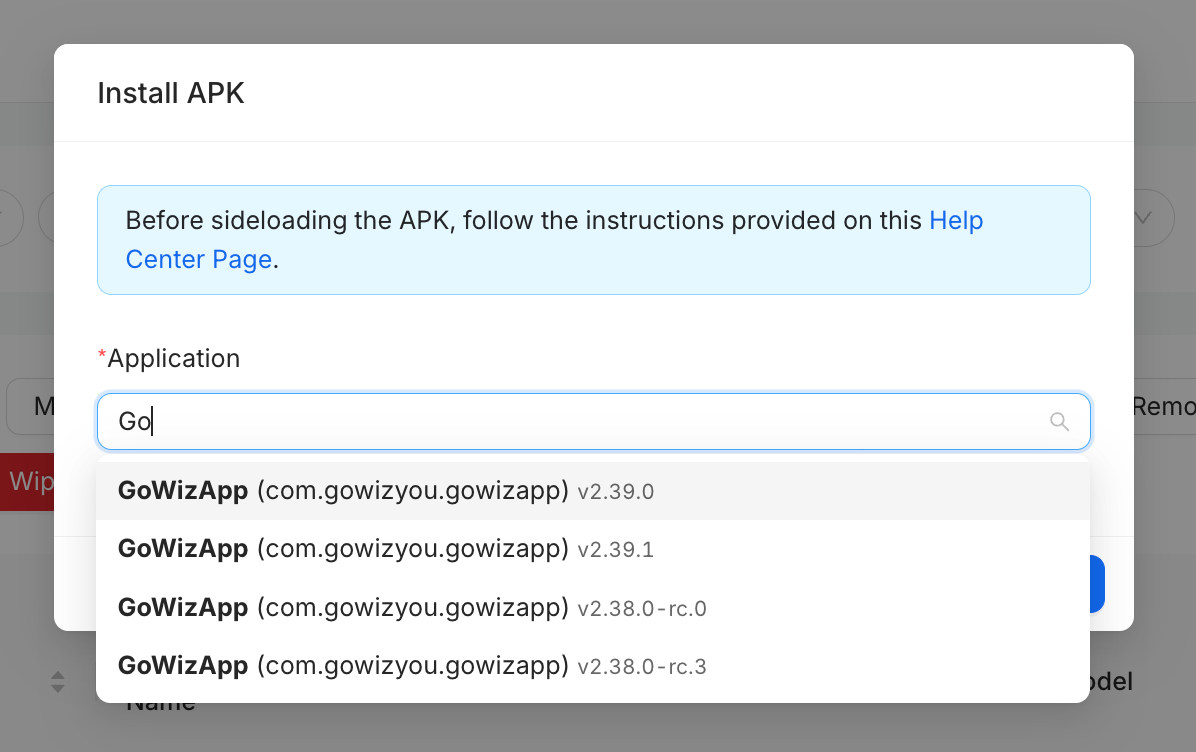
When sideloading or selecting an app to install, you will now see a list of available versions (e.g., v2.39.0, v2.39.1, etc.) under the application name.
Select the specific version required for your target device group.
Review the List of Managed Applications to see different versions of the same package name listed individually with their respective version numbers.
Assign the appropriate version to the relevant profile to ensure seamless, tailored updates.
Key Benefits:
Optimized Compatibility: Ensure each device receives the version best suited for its specific Android OS version or hardware specs.
Reduced Installation Failures: Prevents "App not installed" errors by allowing admins to avoid pushing incompatible new versions to older devices.
Granular Update Control: Enables a staggered or tiered update approach where different groups can remain on specific versions for testing or legacy support.
Performance Stability: Guarantees better performance across your fleet by tailoring the app environment to each user's specific device.
Was this article helpful?
That’s Great!
Thank you for your feedback
Sorry! We couldn't be helpful
Thank you for your feedback
Feedback sent
We appreciate your effort and will try to fix the article