We have introduced a new administrator role called Extended Regional Administrator. This role provides enhanced permissions for regional management, granting access to devices within their assigned profiles and label groups.
This role is designed for local managers who need expanded control over device inventory and maintenance without requiring full access to global settings or other regions.
Key Permissions and Access
The Extended Regional Administrator role has the following key abilities:
Access to assigned devices: Can view and manage devices restricted to their assigned profiles and label groups.
Device Enrollment/Registration: Has the ability to import or register new devices.
Device Modification: Can update device names.
Additional Management Capabilities: Can perform many other management and maintenance tasks on their assigned devices.
Troubleshooting Steps
To assign the Extended Regional Administrator role to an admin:
Log in to your WizyEMM console with a Super Administrator account.
On the left menu, go to Admin Accounts.
Click + Create or locate and select the existing administrator account you want to modify.
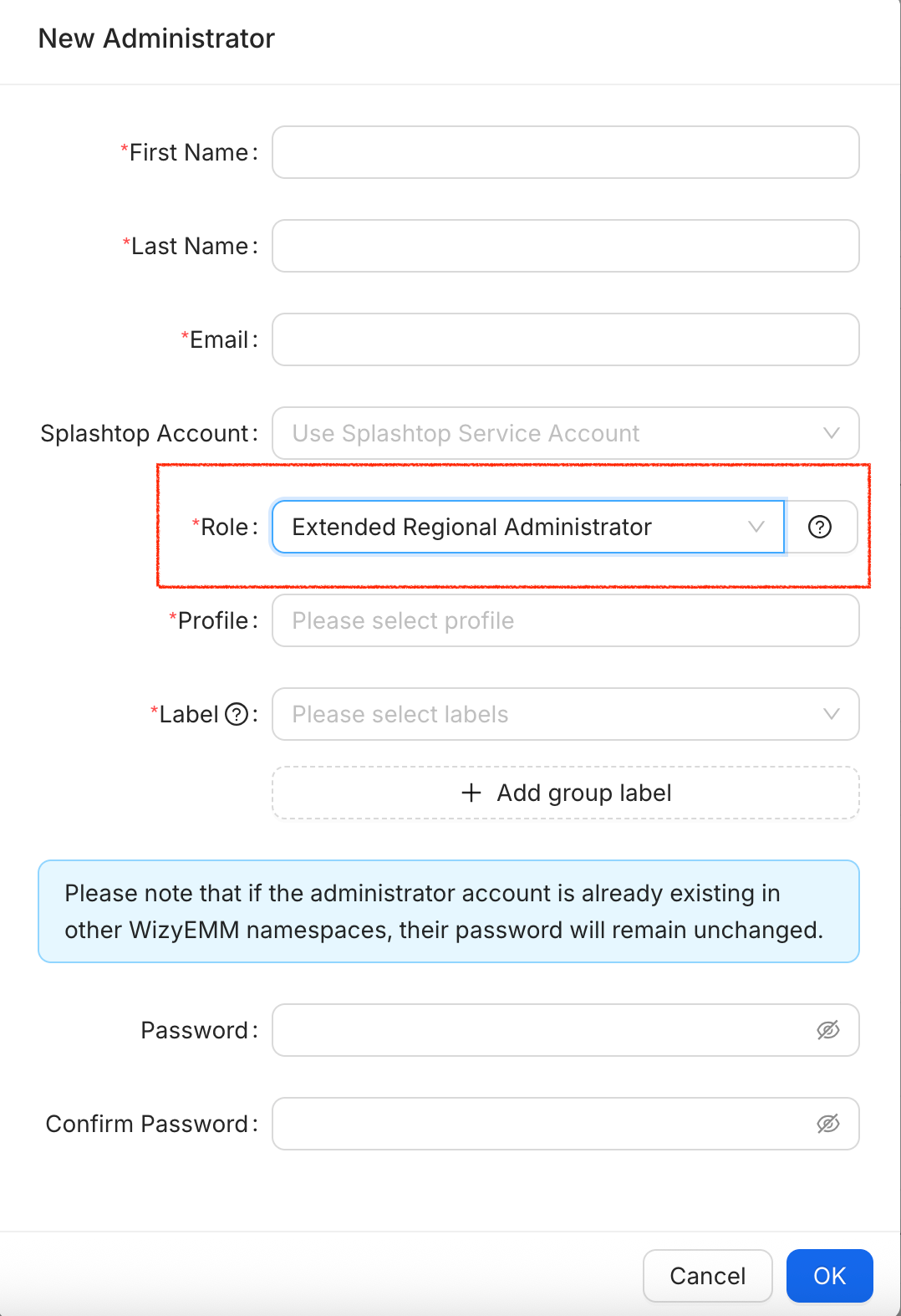
In the New Administrator pop-up, locate the Role field.
From the dropdown menu, select Extended Regional Administrator.
Click OK on the lower right of the pop-up to save the changes.
Was this article helpful?
That’s Great!
Thank you for your feedback
Sorry! We couldn't be helpful
Thank you for your feedback
Feedback sent
We appreciate your effort and will try to fix the article